How to Secure Smart Home Devices in 2026: A Step-by-Step Guide for Complete Digital Safety
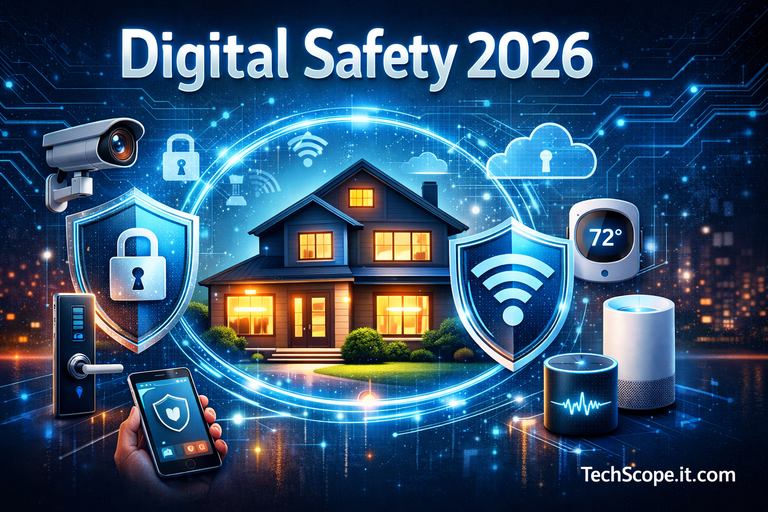
Smart homes have evolved dramatically by 2026. Voice assistants manage schedules, AI-powered cameras monitor security, smart locks control access, and connected appliances optimize energy usage. While these innovations improve convenience and efficiency, they also introduce serious cybersecurity risks if not properly protected.
As highlighted in AI Gadgets for Home 2026, modern homes now function as digital ecosystems. Each connected device becomes a potential entry point for cybercriminals. This comprehensive guide explains how to secure smart home devices using practical, step-by-step strategies designed for today’s threat landscape and tomorrow’s risks.
What Does It Mean to Secure Smart Home Devices in 2026?
Q: What does “secure smart home devices” actually mean today?
A: It means protecting connected devices, networks, identities, and data from unauthorized access, misuse, and surveillance.
In 2026, smart home security goes far beyond setting a Wi-Fi password. It involves layered defenses such as network segmentation, strong authentication, encrypted communication, regular firmware updates, and continuous monitoring. These measures align with modern security frameworks outlined in Cybersecurity Best Practices 2026, where proactive protection replaces reactive fixes.
Understanding the Smart Home Threat Landscape
Q: What cyber threats target smart homes most frequently?
A: Smart homes are commonly targeted through weak passwords, outdated firmware, insecure Wi-Fi networks, and excessive device permissions.
Attackers exploit vulnerabilities to spy through cameras, unlock doors, hijack voice assistants, or use devices as part of botnets. Many of these risks resemble cloud-based misconfigurations discussed in Cloud Security Hardening 2026, proving that consumer IoT security now mirrors enterprise-level challenges.
Step 1: Secure Your Home Network First
Q: Why is the home network the foundation of smart home security?
A: Every smart device depends on the network, making it the primary attack surface.
Use WPA3 encryption, disable WPS, and replace default router credentials immediately. Create a dedicated network or VLAN for smart home devices to isolate them from personal computers and smartphones. This segmentation limits damage even if one device is compromised.
Step 2: Change Default Credentials and Use Strong Authentication
Q: Are default passwords still dangerous in 2026?
A: Yes—automated attacks actively scan for unchanged credentials.
Every smart device should have a unique, complex password stored in a password manager. Enable multi-factor authentication (MFA) wherever available, especially for cloud dashboards and mobile apps. Identity-based security is now the primary defense layer, as emphasized in Cybersecurity Best Practices 2026.
Step 3: Keep Firmware and Software Updated
Q: Why are firmware updates essential for smart home security?
A: Updates patch vulnerabilities that attackers exploit shortly after discovery.
Enable automatic updates whenever possible. Devices without update support should be replaced. According to guidance from the NIST Cybersecurity for IoT Program , unpatched IoT devices remain one of the most common causes of large-scale security incidents.
Step 4: Use Encryption and Secure Communication Protocols
Q: How does encryption protect smart home data?
A: Encryption prevents attackers from intercepting or modifying transmitted data.
Choose devices that support end-to-end encryption, TLS-secured APIs, and secure device pairing. This is especially critical for smart cameras, locks, and voice assistants that handle sensitive personal information.
Step 5: Limit Permissions and Reduce Data Collection
Q: Why should smart device permissions be restricted?
A: Excess permissions increase privacy risks and attack impact.
Disable unnecessary features, revoke unused app permissions, and turn off microphones or cameras when not needed. This approach aligns with ethical design principles discussed in Human-Centric AI 2026, where user control and transparency build long-term trust.
Step 6: Monitor Device Activity and Enable Alerts
Q: Can homeowners detect smart home attacks in real time?
A: Yes—modern routers and security apps provide behavioral alerts.
Unexpected bandwidth spikes, login attempts, or device restarts often indicate compromise. Continuous monitoring mirrors enterprise security models and is increasingly essential for consumer environments.
Step 7: Secure Voice Assistants and Smart Hubs
Q: Are voice assistants a security risk?
A: They can be if improperly configured.
Enable voice recognition, disable voice-based purchases, and regularly review stored recordings. Since smart hubs control multiple devices, securing them significantly reduces overall risk.
Privacy Protection and Smart Home Security
Q: How does privacy intersect with smart home security?
A: Security without privacy still exposes users to surveillance and data misuse.
Choose vendors with transparent data policies, local processing options, and user-controlled data retention. Privacy-focused security ensures smart homes remain helpful rather than intrusive.
Future Trends: Smart Home Security Beyond 2026
Q: How will smart home security evolve?
A: Future systems will rely on AI-driven anomaly detection, zero-trust device authentication, and stricter regulations.
Behavior-based monitoring will replace static rules, allowing systems to identify unusual activity instantly. These trends reflect broader shifts discussed in Cybersecurity Trends 2026, where adaptive security becomes essential.
Frequently Asked Questions (FAQs)
Is it safe to use smart home devices on public Wi-Fi?
No. Always use secured private networks or VPNs.
How often should smart device passwords be changed?
At least every 6–12 months or after any suspected breach.
Can smart homes be hacked even with strong Wi-Fi security?
Yes—outdated firmware and weak device authentication remain risks.
Are premium smart devices more secure?
Often yes, as they receive longer update support and better encryption.
Conclusion: Building a Secure, Trustworthy Smart Home
Securing smart home devices in 2026 is no longer optional—it is essential for privacy, safety, and peace of mind. By strengthening networks, enforcing strong authentication, maintaining updates, limiting permissions, and monitoring activity, homeowners can enjoy intelligent living without unnecessary risk.
A proactive security mindset today ensures that tomorrow’s smart homes remain secure, private, and resilient in an increasingly connected world.